How to Reset Your iPad Without a Password | Mr Fix
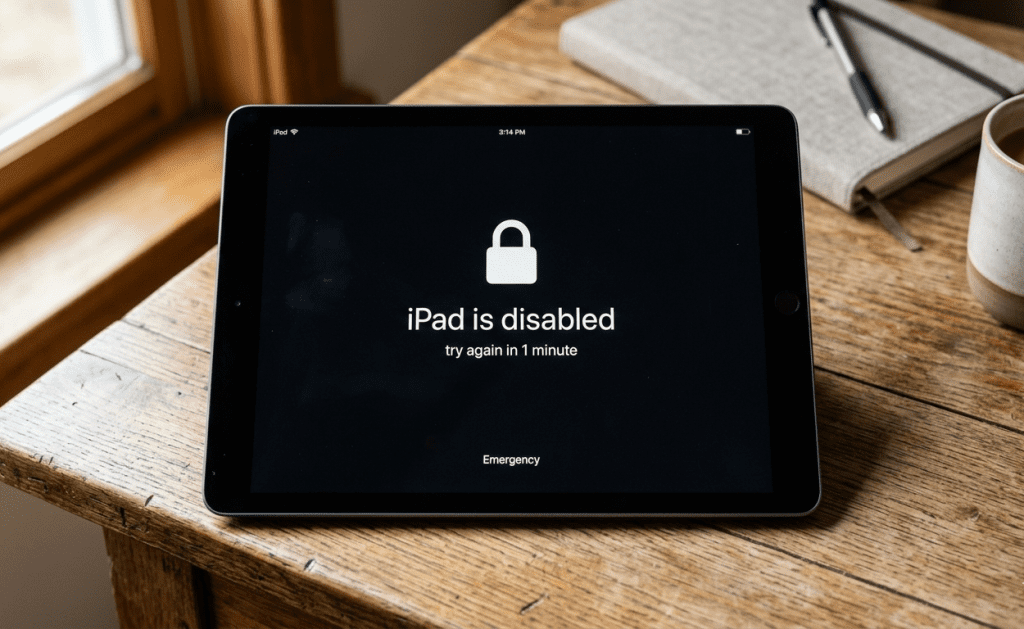
If you’re locked out of your iPad because you forgot the passcode, bought a used iPad that was never reset, or the device became disabled after too many incorrect attempts — don’t panic. There are reliable ways to reset an iPad without a password and get it working again.
However, before doing anything, it’s important to know that resetting an iPad without the passcode can erase all data. If you want a safe, professional solution, Mr Fix offers fast reset and unlock services for all iPad models.
⚠️ Disclaimer: Resetting an iPad Will Erase All Data
Before starting, please note:
- A full restore will delete everything on the iPad — apps, photos, messages, files, and settings.
- If you have a recent backup (iCloud or iTunes), you can restore your data later.
- If the device is linked to an Apple ID with Find My iPad enabled, the iPad may show an Activation Lock after the reset.
- Activation Lock cannot be bypassed without the proper Apple ID unless the original owner removes it from their account.
If you’re unsure, Mr Fix can guide you through this process or perform the reset for you safely.
Method 1: Reset an iPad Using iTunes/Finder (Recovery Mode)
This is Apple’s official method to reset an iPad when the passcode is forgotten.
Steps:
- Turn off the iPad.
- Connect the iPad to a computer (Windows with iTunes or Mac with Finder).
- Enter Recovery Mode
- For Face ID models: press and hold Top button until cable icon appears.
- For Home button models: hold Home button while connecting to the computer.
- For Face ID models: press and hold Top button until cable icon appears.
- Once Recovery Mode appears, open iTunes/Finder.
- Choose Restore.
- Wait for the software to reinstall.
- Set up the iPad as new or restore from a backup.
Pros
- Official Apple-approved method
- Works for most software-related issues
Cons
- Does NOT bypass Activation Lock
- Requires a computer
- Takes time to download firmware
Method 2: Reset an iPad Using iCloud (Find My iPad)
If Find My iPad is enabled and you know the Apple ID credentials, you can reset the device remotely.
Requirements
- “Find My iPad” must be turned on
- Internet access
- Ability to log in to the linked Apple ID
Steps:
- Go to iCloud.com on any device.
- Sign in with the Apple ID linked to the iPad.
- Select Find Devices.
- Choose the iPad from the list.
- Click Erase iPad.
- Follow the prompts to wipe and reset.
Cons
- You MUST know the Apple ID and password
- iCloud Activation Lock will still appear after erasing
Method 3: Use Third-Party Unlocking Tools (Use with Caution)
There are tools such as Tenorshare 4uKey, iMyFone LockWiper, and similar programs that can forcibly remove a passcode.
Pros
- Simple interface
- Works even when the iPad is disabled
Cons & Risks
- All data will still be wiped
- These tools do NOT remove Activation Lock
- May void Apple warranty
- Not always reliable
- Some require paid licenses
Use these methods only if you understand the risks. For safer results, contact Mr Fix.
Professional Help: iPad Reset & Unlock Services at Mr Fix
If you want a secure, fast, and stress-free solution, let Mr Fix handle the reset for you.
Why Choose Mr Fix?
- ✔️ Safe and professional iPad reset
- ✔️ Free diagnostics
- ✔️ Data recovery options (when applicable)
- ✔️ Assistance with iCloud issues (when legally allowed)
- ✔️ Walk-in service — no appointment needed
- ✔️ Multi-location support across the DMV area
How to Get Help
- 📞 Call your nearest Mr Fix location
- 🌐 Visit our website to book a service
- 🏪 Walk in anytime — we’re always ready to help
CTA: Get professional iPad unlock help today — fast, safe, and guaranteed.
FAQ – Resetting an iPad Without a Password
Can I reset my iPad without the Apple ID?
You can reset it, but you cannot bypass Activation Lock without the Apple ID or proof of purchase.
How long does the reset process take?
Usually 15–45 minutes, depending on the model and method.
I bought a second-hand iPad, and it’s locked. What do I do?
You must contact the seller and ask them to remove the iPad from their Apple ID. If not, visit Mr Fix for guidance.
Is iCloud unlocking legal?
Yes only if you are the rightful owner. Bypassing Activation Lock without ownership proof is not permitted.
Conclusion – Need Help? Mr Fix Is Here for You
Resetting an iPad without a password can be confusing — especially with data loss, Activation Lock, and software complications. Whether you’re locked out, forgot your passcode, or stuck in Recovery Mode, Mr Fix offers fast and reliable iPad unlock services.
📞 Contact us today
💬 Chat with a technician
🏪 Walk in anytime for immediate help
➡️ Get expert iPad reset service at Mr Fix — safe, quick, and worry-free.
Keep exploring

iPhone Repair: What to Fix and What to Skip
Need iphone repair fast? Learn which iPhone problems are worth fixing, what affects cost, and how to choose a qualified local repair shop.
How to Know Battery Replacement Is Due
Learn how to know battery replacement is due on your phone, tablet, or laptop with clear signs, battery health tips, and what to do…

Android Phone Repair Software Explained
Learn how android phone repair software helps diagnose, update, recover, and restore devices before or after common hardware repairs.